2024
Siemens Healthineers
siemens-healthineers.com
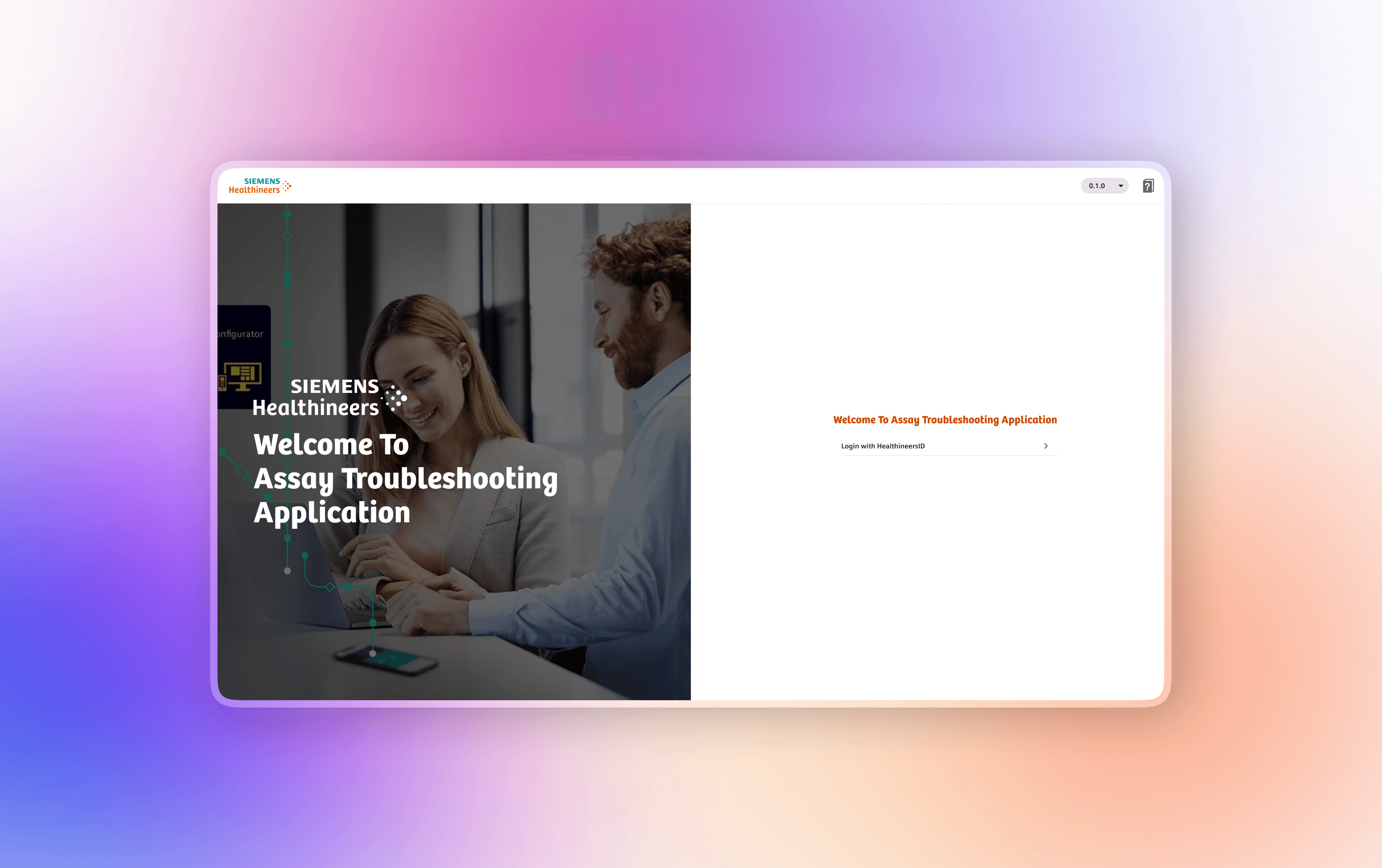
Overview
Atellica Troubleshooting Assistant is an enterprise, AI-assisted support platform designed to help laboratory technicians diagnose and resolve complex instrument issues faster, with minimal dependency on expert engineers.
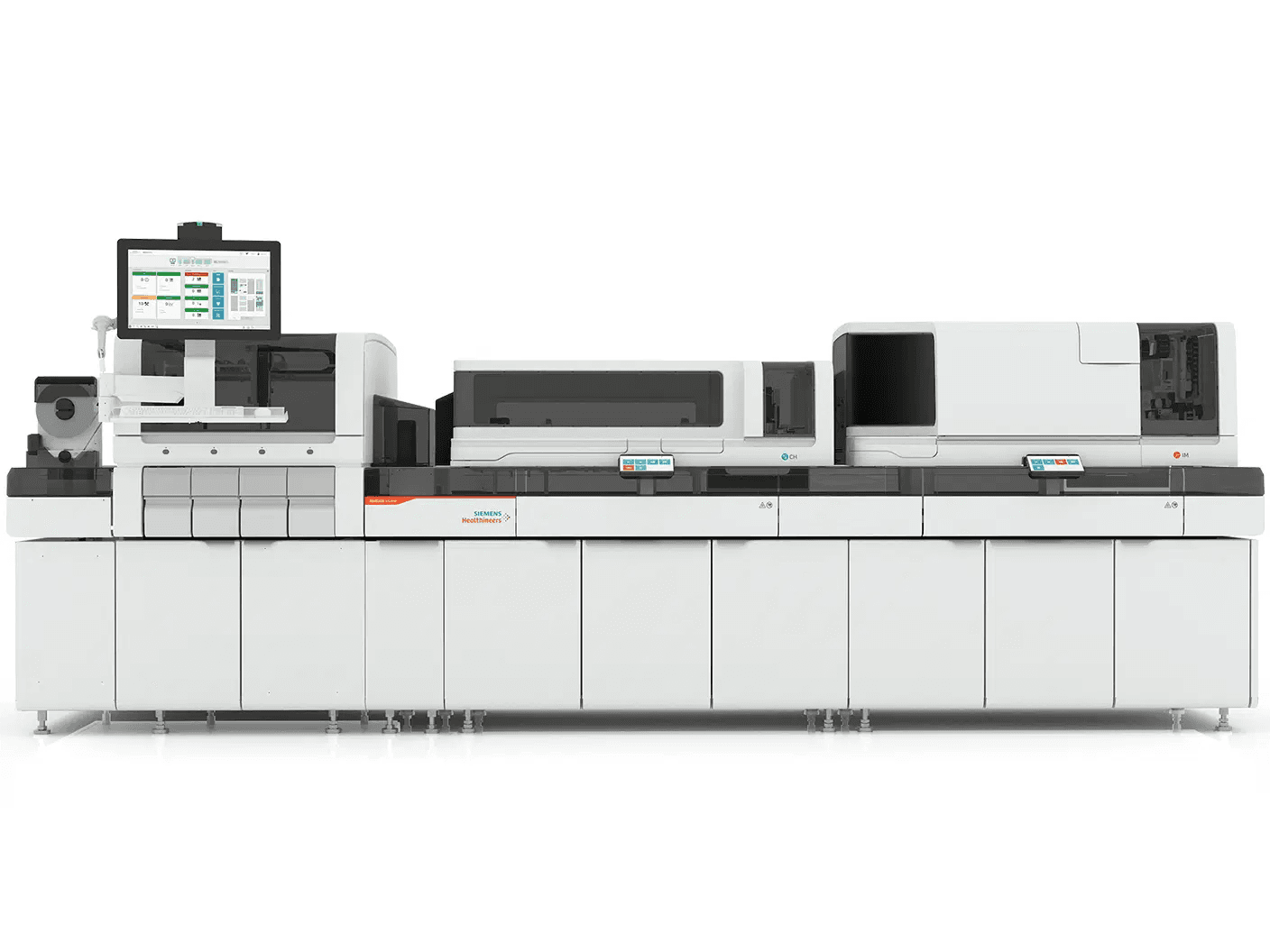
The platform supports Atellica CH 930, Atellica 1300, and Atellica 1600 analyzers, processing 300–400 diagnostic tickets daily across global laboratories. It plays a critical role in reducing downtime for high-throughput diagnostic systems operating in regulated healthcare environments.
This case study highlights how user-centered design, predictive workflows, and data-driven interfaces transformed a fragmented troubleshooting experience across multiple analyzer models into a scalable self-service solution—delivering measurable operational efficiency and business impact.
The Challenge: Complex Lab Errors, High Costs
Siemens Healthineers’ Atellica diagnostic systems generate complex error logs spanning multiple subsystems. When failures occurred:
Lab technicians struggled to interpret cryptic, system‑centric error messages
Troubleshooting workflows varied significantly across regions and facilities
Even common issues were frequently escalated to expert engineers
Downtime directly impacted lab throughput, patient turnaround time, and operational cost
Despite having large volumes of historical service data, technicians lacked actionable guidance at the moment of failure.
Core problem:
How might we enable technicians to confidently diagnose and resolve issues on their own—quickly, safely, and consistently—without increasing cognitive load or compliance risk?
Business & User Goals
Business Goals
Reduce escalation volume and support costs
Minimize diagnostic system downtime
Scale support without scaling headcount
Increase adoption of self‑service troubleshooting
User Goals
Understand errors in plain language
Receive step‑by‑step guidance tailored to context
Resolve issues quickly under time pressure
Know when escalation is truly required
My Role & Responsibilities
I served as the UX Designer, owning the experience end‑to‑end:
Defined problem scope and UX strategy
Led user research and synthesis
Designed task flows, information architecture, and interaction models
Created low‑ and high‑fidelity prototypes
Applied and scaled the Siemens Healthineers UI (SHUI) design system
Partnered closely with Product, Engineering, and Data Science teams
Validated solutions through usability testing and iteration
Users & Stakeholders
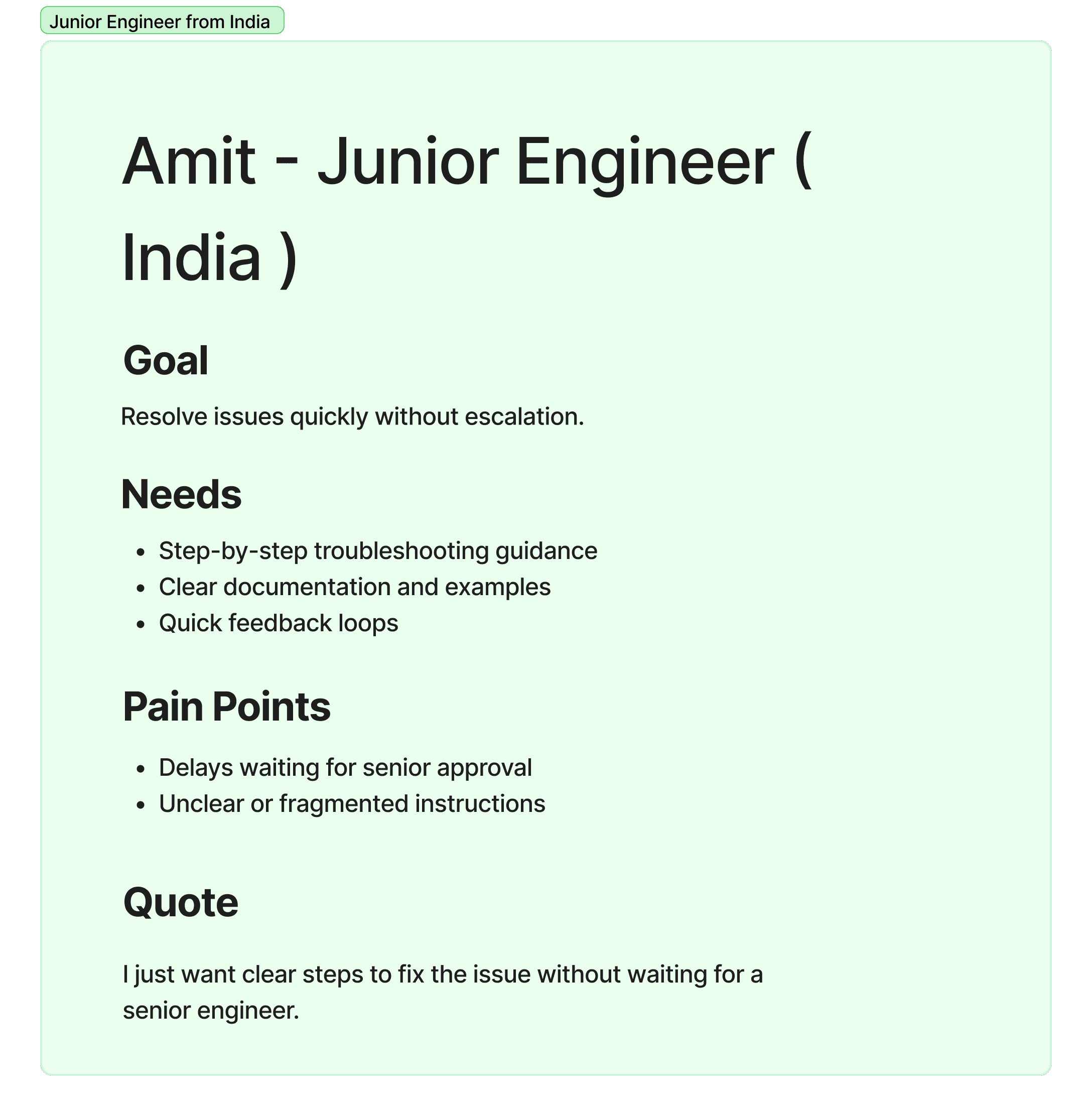
Primary Users
Laboratory Technicians
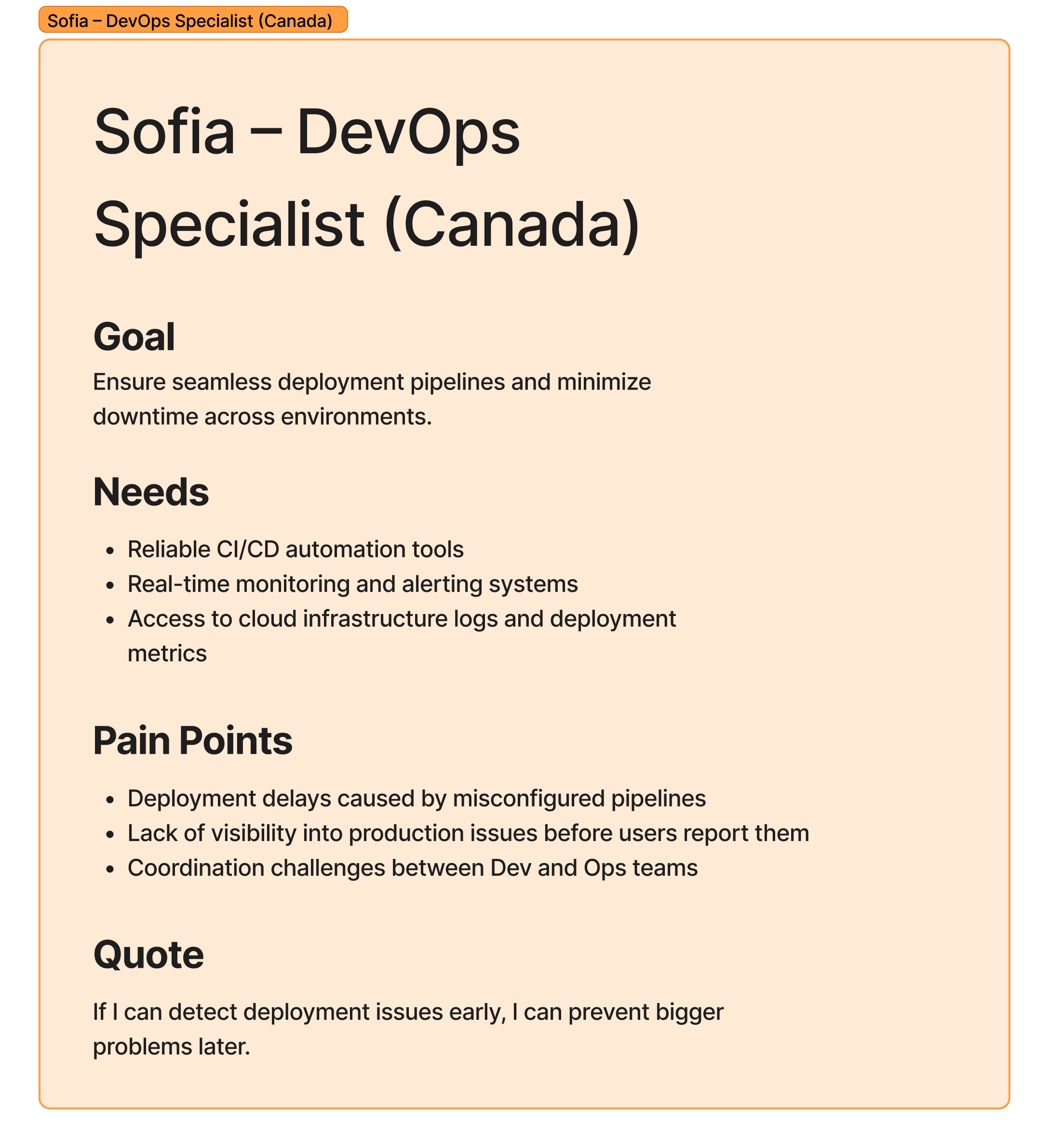
High domain expertise, low IT tolerance
Work under time pressure in regulated environments
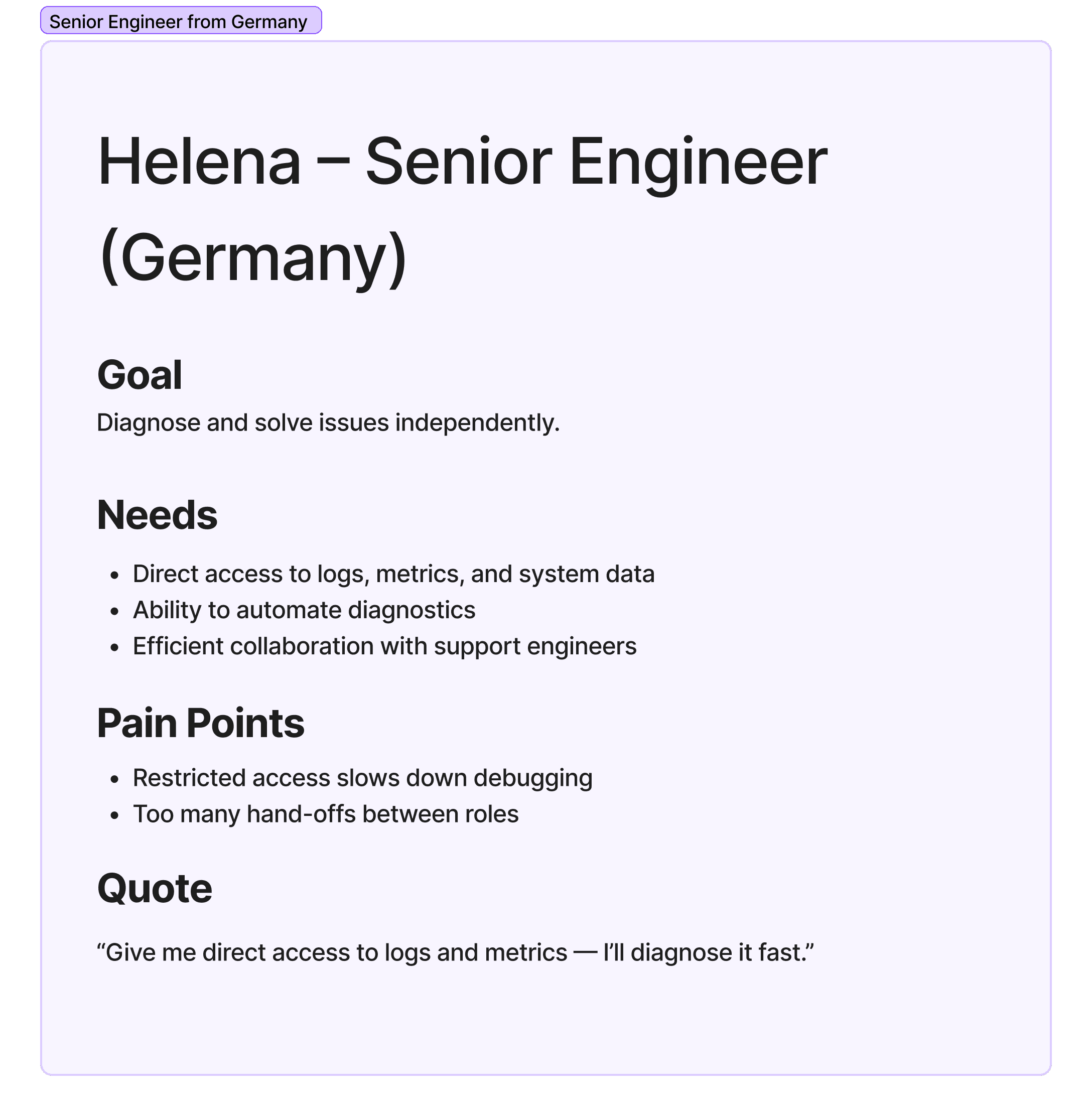
Secondary Users
Field Service Engineers
Lab Managers
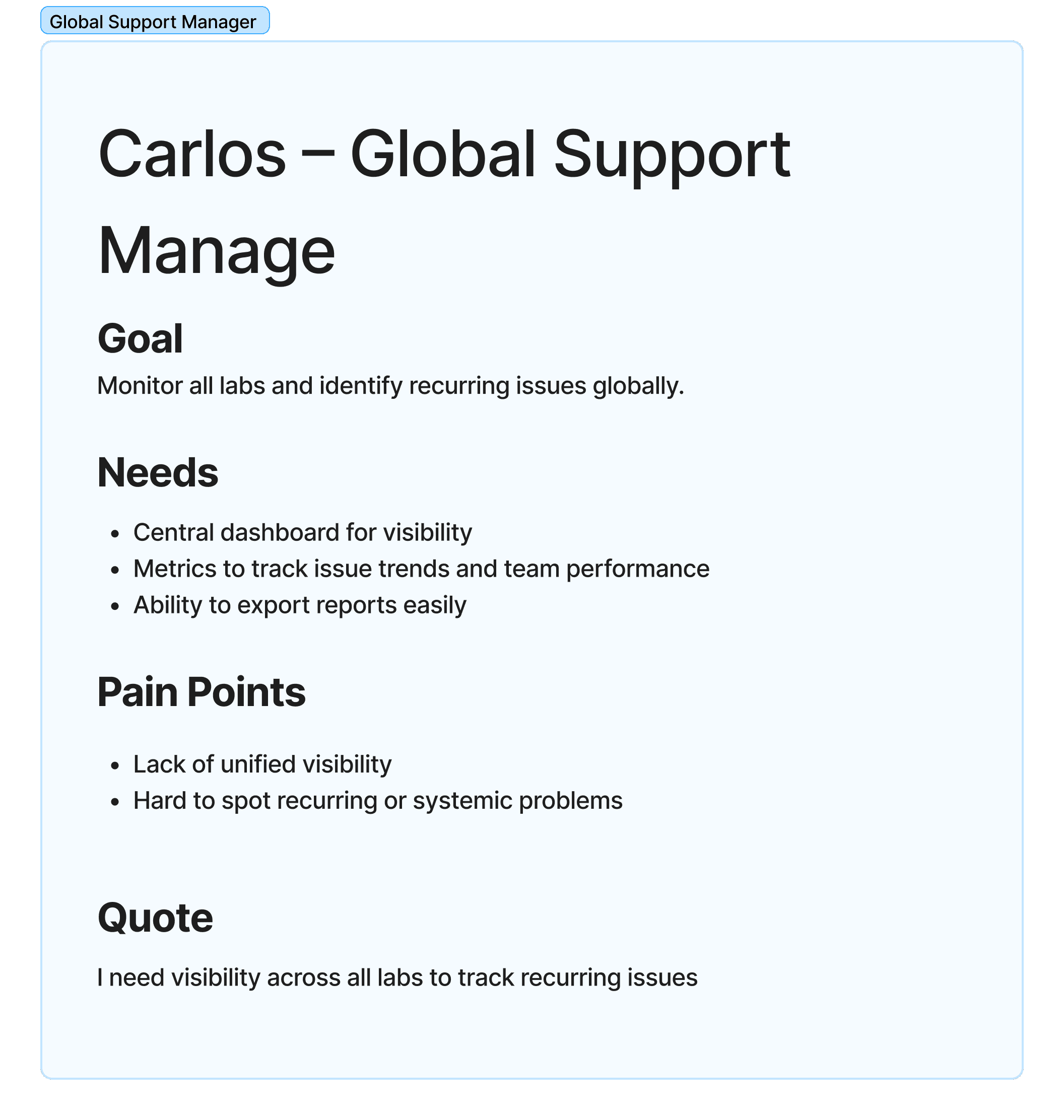
Global Support & Operations Teams
User Persona
Research & Discovery
Research Methods
7+ stakeholder interviews (technicians, engineers, lab managers)
Contextual inquiry across lab environments
Analysis of historical ticket data and error logs
Review of escalation patterns and resolution timelines
Key Insights
Logs ≠ Guidance
Technicians could see error codes but lacked clarity on what to do next.One‑size workflows failed
Novice users needed guidance; experienced users wanted speed and control.Escalation was a safety net, not a preference
Many escalations occurred due to uncertainty—not issue severity.Speed mattered more than completeness
In high‑pressure scenarios, clarity and prioritization outweighed exhaustive diagnostics.
Design Principles
Based on research, we defined four guiding principles:
Guide, don’t overwhelm – Progressive disclosure over dense diagnostics
Predict before react – Use historical patterns to surface likely resolutions
Support multiple expertise levels – Guided paths and expert shortcuts
Trust through clarity – Transparent logic and compliance‑safe design
Solution Overview
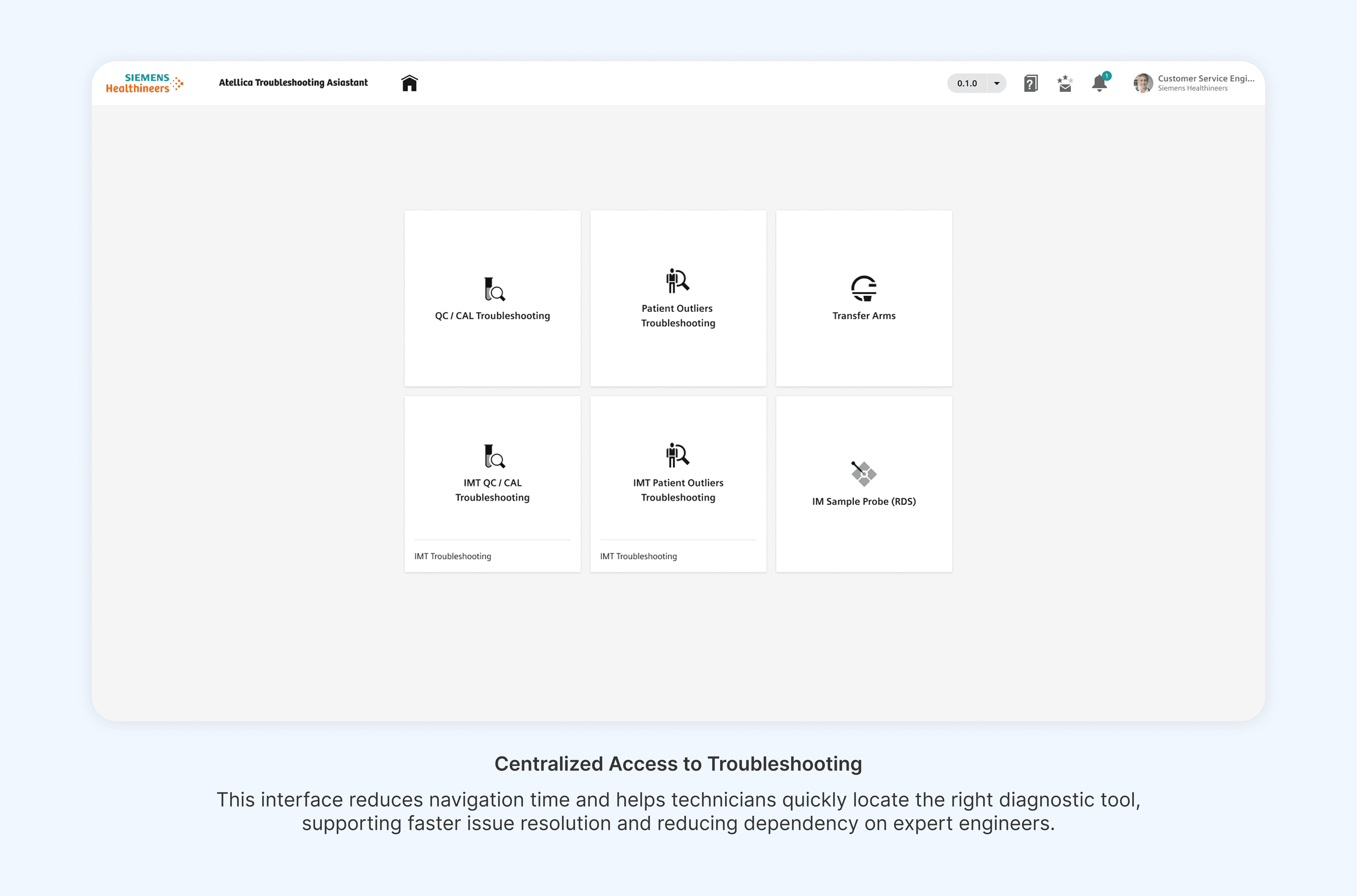
The Atellica Troubleshooting Assistant delivers a guided, predictive troubleshooting experience through four core components:
Smart Issue Identification
ML‑informed signals prioritize likely root causes based on system state and historical data.Guided Resolution Flows
Step‑by‑step workflows translate technical diagnostics into actionable tasks.Expert Mode
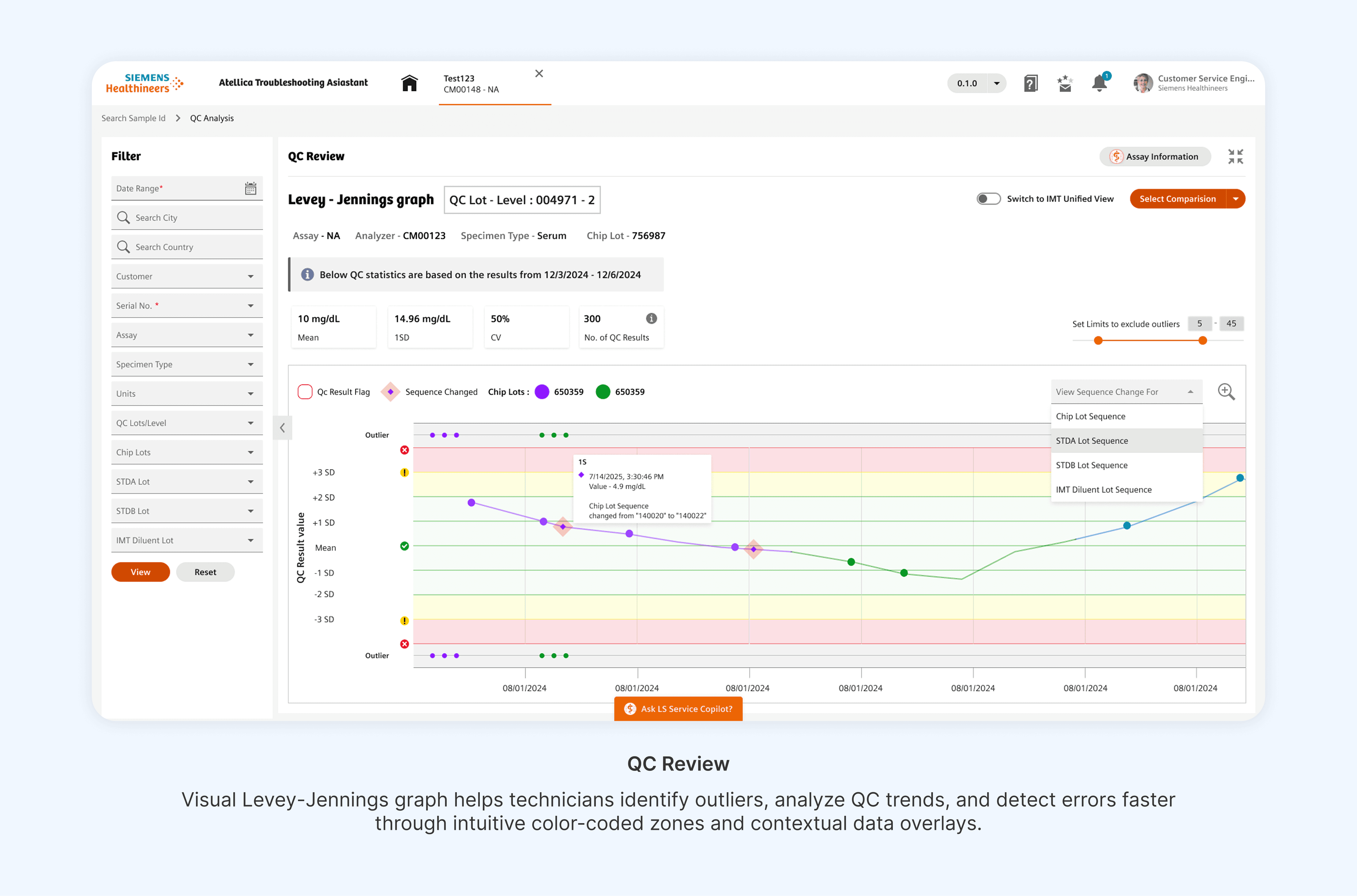
Advanced users can bypass guidance and access raw diagnostics when needed.Decision‑Driven Dashboards
Data‑rich views help technicians and managers understand issue patterns and risk.
Key Design Decisions & Trade‑offs
Guided vs Fully Automated Resolution :
Rejected: Fully automated fixes
Why:
Technicians needed visibility and control in regulated environments
Automation without transparency reduced trust
Chosen: Guided decision support with human confirmation
Depth vs Speed :
Rejected: Deep diagnostic trees by default
Why:
Increased cognitive load
Slower task completion during peak lab hours
Chosen: Progressive disclosure with early resolution paths
Design Showcase
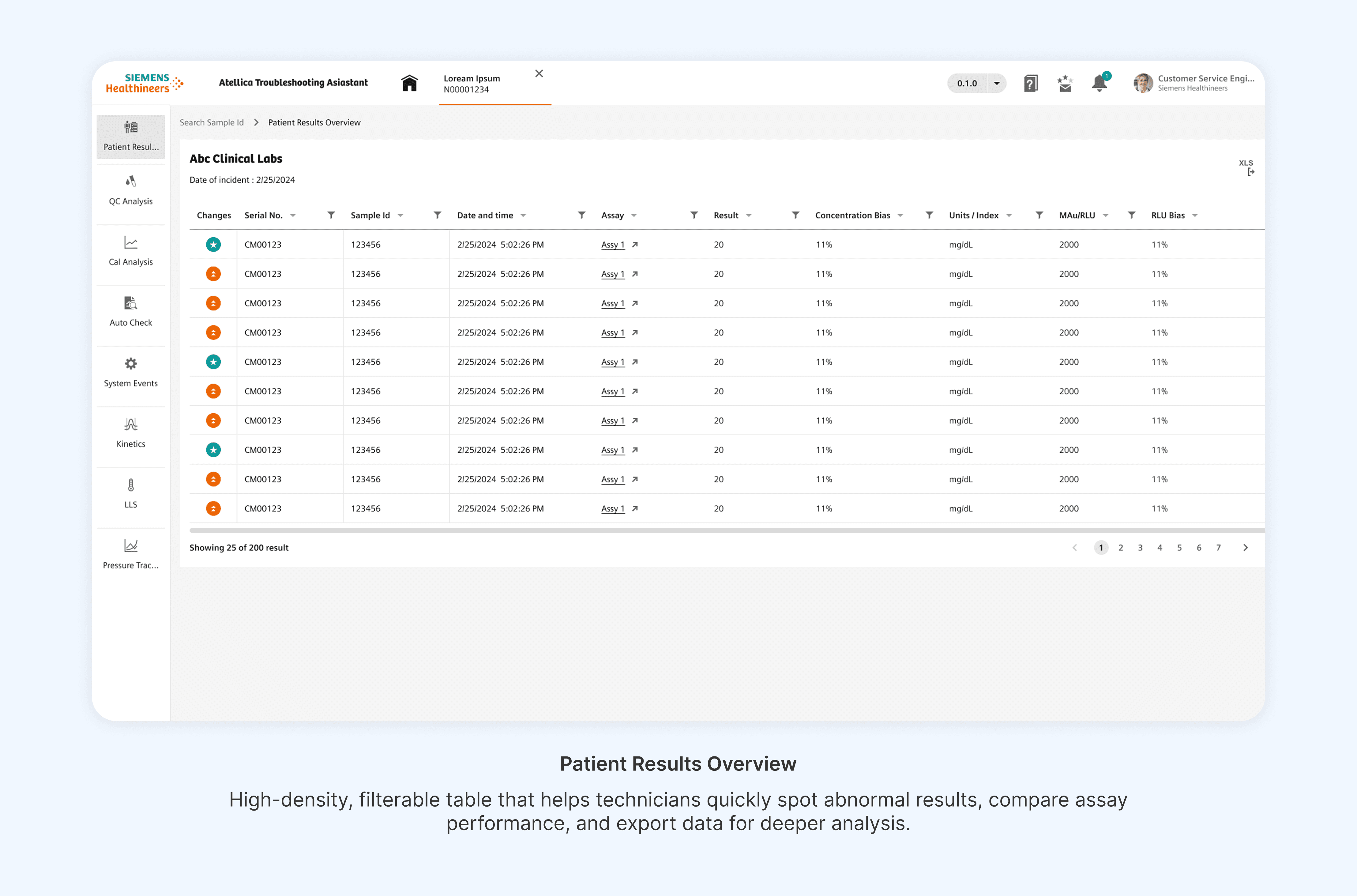
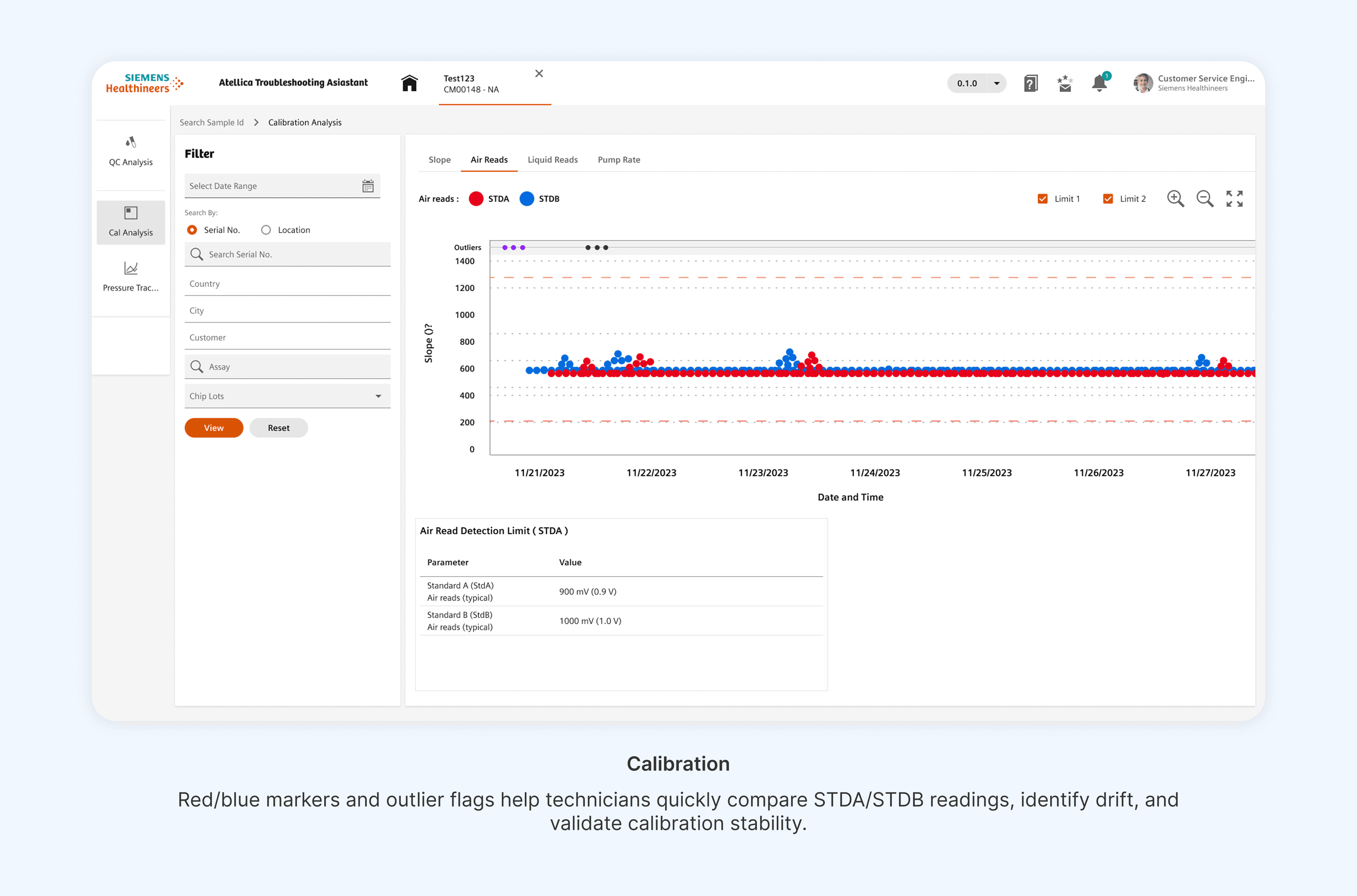
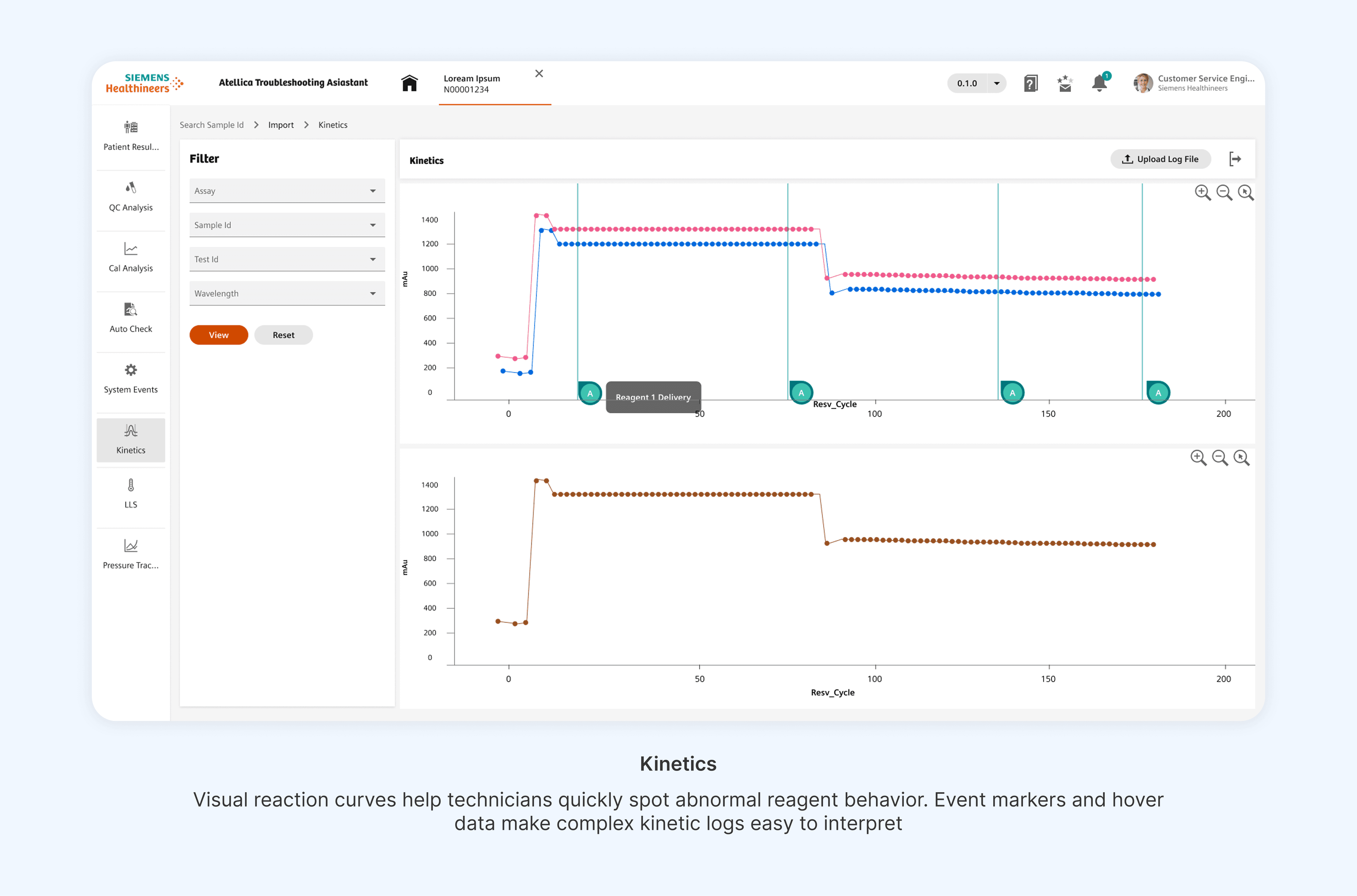
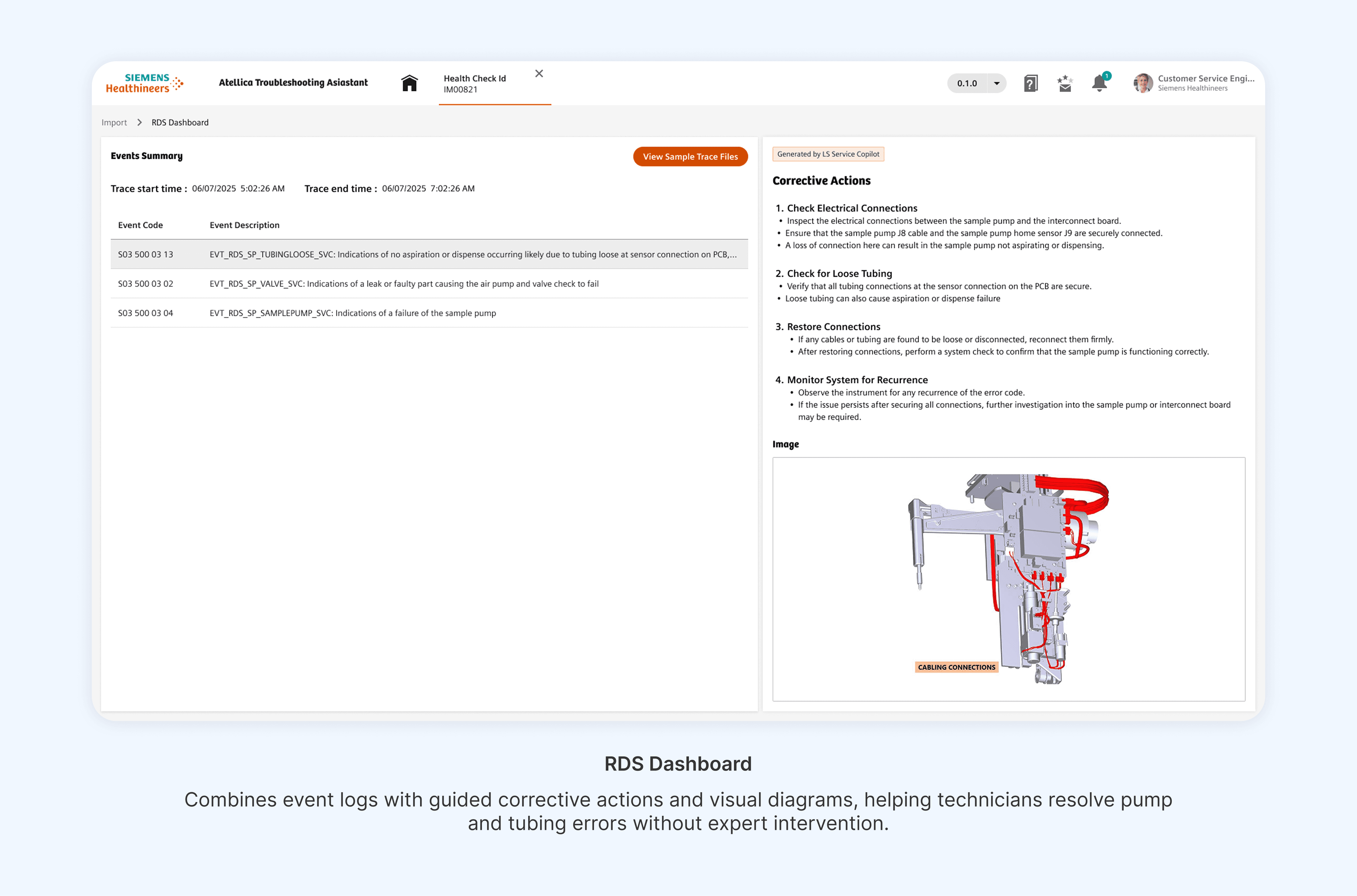
What Didn’t Work
Early versions of the assistant surfaced too much diagnostic detail too soon. Usability testing revealed that technicians prioritized speed and certainty over completeness, leading us to significantly simplify early‑stage flows and defer advanced diagnostics until necessary.
Validation & Iteration
Following rollout and pilot adoption:
~30% reduction in average issue resolution time, improving lab throughput
~40% reduction in support escalations, driven by confidence in guided workflows
68% self‑service adoption across 2,000+ medical technicians
Estimated $800K annual operational savings from reduced expert dependency
25% improvement in usability scores and 35% faster task completion in validation studies
15–20% reduction in diagnostic downtime across 500+ healthcare facilities
Scaled SHUI design system across 3 product lines, achieving WCAG 2.1 AA compliance and reducing handoff time by ~40%
Reflections & Learnings
Enterprise UX succeeds when it respects domain expertise and cognitive limits
Predictive UX is only valuable when users understand and trust the system’s logic
Designing for regulated environments requires transparency, not black‑box automation
Future Opportunities
Deeper AI-assisted prediction using cross-instrument data
Lite Troubleshooting Experience: Introduce a lightweight version of the application focused on resolving a small set of high-frequency, time-critical issues. Designed specifically for lab technicians, this version would prioritize speed, minimal steps, and clear guidance—reducing time-to-resolution in peak lab scenarios without exposing advanced diagnostics.
Final Note
This project reinforced the role of UX as a strategic driver—connecting AI, operational efficiency, and human-centered design to deliver real-world impact at scale.